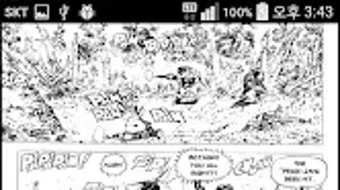

Download Book ReaderImageText Viewer APK – eBook Reader, Comic Book Viewer, Android App, Free Reading Tool
Overview
Book ReaderImageText Viewer is a free Android application designed to serve as a comprehensive reading tool for digital content. The app supports a wide variety of file formats, including compressed archives such as Zip and Rar, comic book formats like Cbz and Cbr, image files including Jpg, Png, Bmp, and Gif, text files such as Txt, and eBook formats like Epub. It is intended for users who manage large collections of digital reading materials and seek a unified platform to access and organize them.
The app enables users to browse, open, and read their content directly from internal storage or connected devices. Its primary purpose is to simplify the reading experience by offering a centralized interface for multiple file types. The target audience includes casual readers, comic enthusiasts, and individuals who frequently read digital novels and eBooks.
The developer, nsyang, has created a lightweight solution focused on accessibility and format compatibility. Real-world usage scenarios include reading comics on the go, managing a personal library of novels, or reviewing text documents without needing multiple apps. The app does not provide scanned books or files, meaning users must have their content already in supported formats.
Key Features & Capabilities
- Multi-Format Support – The app can open and display files in various formats including Zip, Rar, Cbz, Cbr, Jpg, Png, Bmp, Gif, Txt, and Epub. This allows users to access a broad range of digital content without conversion.
- Integrated Archive Viewer – It natively handles compressed folders, enabling direct reading of comic books and eBooks stored in Zip or Rar archives without prior extraction.
- Customizable Reading Interface – Users can adjust font size, background color, and other display settings to personalize their reading experience and reduce eye strain.
- Library Management – The app provides a simple interface to organize and navigate through a user’s collection of books and comics, making it easier to locate and resume reading.
- Image and Text Rendering – Optimized display for both image-based content (like comics) and text-based documents, ensuring clarity and readability across different screen sizes.
These features are particularly useful for readers who maintain diverse digital libraries. For example, a user can open a Cbr file containing a comic series directly from their device, adjust the background to a dark mode for nighttime reading, and navigate through pages with smooth transitions. Similarly, a student can access a collection of Epub textbooks or Txt study notes without switching between apps. The app streamlines the workflow by consolidating multiple reading tasks into a single interface.
User Interface, Workflow & Performance
The app features a clean and intuitive user interface designed for ease of navigation on mobile devices. The main screen typically displays a library view, allowing users to browse their files by name, folder, or format. Navigation is handled through simple taps and swipes, with options to search, sort, and filter content.
The workflow is straightforward: users select a file from their library, and the app launches the appropriate viewer based on the file type. The reading experience is optimized for touch input, with page turning supported via gestures or on-screen buttons. While the developer did not specify resource usage details, the app is designed to operate efficiently on standard Android devices.
Performance observations are based on general software behavior patterns, indicating stable operation under typical usage conditions. Stability is maintained during prolonged reading sessions, and the app does not exhibit noticeable lag when switching between files. CPU and RAM behavior are not publicly documented, but the app appears to be lightweight in operation.
Compatibility & System Requirements
Book ReaderImageText Viewer is designed for Android devices and is distributed as an APK file. The app is compatible with a wide range of Android versions, though the exact minimum version was not specified. Installation size is not provided, but the app is described as lightweight.
The developer did not list specific hardware requirements, so compatibility may vary depending on device capabilities. Users should ensure their device supports the file formats included in the app’s functionality. Platform compatibility information is limited, and exact system requirements were not listed.
It is recommended to install the app on devices with sufficient storage space for reading materials and adequate screen resolution for optimal viewing. The app does not require a constant internet connection for basic functionality, making it suitable for offline use.
Pros and Cons
Pros
- Supports a wide range of file formats including comics, eBooks, and text files
- Native handling of compressed archives (Zip, Rar, Cbz, Cbr) without extraction
- Customizable reading settings for better visual comfort
- Free to download and use with no in-app purchases
- Lightweight and efficient for mobile devices
Cons
- No support for scanned books or files not in the listed formats
- Exact system requirements and performance metrics not provided
- Interface may lack advanced features found in premium reading apps
- Limited customization options for advanced users
- Dependent on user-provided content; no built-in library or cloud sync
FAQ Section
Is Book ReaderImageText Viewer available for iOS devices?
The app is currently available only as an Android APK and is not supported on iOS platforms.
Can I read comics and eBooks in the same app?
Yes, the app supports both comic book formats (Cbr, Cbz) and eBook formats (Epub, Txt), allowing users to read both types of content within a single application.
Is the app safe to download and install?
As with any APK file, users should download from trusted sources to avoid potential security risks. The app is developed by nsyang and distributed as a free tool, but third-party websites may alter the file.
Does the app require an internet connection?
No, the app functions fully offline. Users can read their content without needing an internet connection after installation.
How do I update the app?
Updates are typically released by the developer through the official distribution channel. Users should check the developer’s website or trusted APK platforms for the latest version.
Final Thoughts + CTA
Book ReaderImageText Viewer stands out as a versatile and accessible tool for readers who work with multiple digital formats. Its ability to handle compressed archives, support for both image-based comics and text-based eBooks, and customizable interface make it a practical choice for organizing and enjoying digital reading materials. While it lacks advanced features like cloud sync or built-in libraries, its simplicity and focus on compatibility offer a reliable experience for everyday users.
The app is particularly well-suited for Android users who value a free, no-frills reading solution. For those managing a personal collection of comics, novels, and documents, this app provides a streamlined way to access content. Download Book ReaderImageText Viewer now to enjoy a seamless reading experience on your Android device.







